A tiny emoji can turn a flat work email into a warm one if you know where to find it.
You’re typing a quick email, and a plain Thanks! just feels a little cold. You want to add a 😊 or a 👍, but Outlook doesn’t make it obvious where the emoji button is hiding.
You’re not alone, this trips up more people than you’d think, whether you’re on desktop, web, or mobile Outlook.
A small emoji can say what a whole sentence can’t if you know how to insert it.
What do emoji in Outlook actually mean?
Before you start sprinkling emoji into your emails, it helps to know what they actually signal. Tone can get lost in text, and the wrong emoji can send the wrong message to a coworker or client.
Here are the ones people reach for most often in Outlook messages, and what they really communicate.
| Emoji | Core meaning | Misread as | Best used when |
| 😊 | Warmth, friendliness | Flirtation (in the wrong context) | Softening a request or thank-you |
| 😀 | General happiness, enthusiasm | Overexcitement in formal emails | Sharing good news |
| 👍 | Approval, agreement | Curtness, dismissal | Quick confirmations |
| ✅ | Task completed, confirmed | — | Project updates, checklists |
| 🎉 | Celebration, milestone reached | Overkill for small wins | Announcements, wins |
| 💡 | An idea or suggestion | — | Brainstorms, feedback |
Context matters more than the emoji itself a 👍 to your manager reads differently than a 👍 to a close teammate.
❤️ Red Heart Meaning: Deep love, affection, and emotional connection. Example 1: I miss you ❤️ Example 2: You are my everything ❤️
😊 Smiling Face Meaning: Warmth, friendliness, and gentle reassurance. Example 1: Thanks for your patience 😊 Example 2: Great catching up with you 😊
😀 Grinning Face Meaning: Genuine happiness and open enthusiasm. Example 1: So happy this worked out 😀 Example 2: Can’t wait for the launch 😀
👍 Thumbs Up Meaning: Approval, agreement, or acknowledgment. Example 1: Sounds good, let’s proceed 👍 Example 2: Got it, thank you 👍
✅ Check Mark Meaning: Confirmation that something is done or correct. Example 1: Report finished ✅ Example 2: Meeting confirmed for 3pm ✅
🎉 Party Popper Meaning: Celebration of an achievement or milestone. Example 1: We hit our target 🎉 Example 2: Welcome to the team 🎉
💡 Light Bulb Meaning: A new idea, suggestion, or realization. Example 1: Here’s a thought 💡 Example 2: Just had an idea for the project 💡
🙌 Raising Hands Meaning: Celebration, gratitude, or shared excitement. Example 1: Couldn’t have done it without you 🙌 Example 2: Team effort all the way 🙌
👏 Clapping Hands Meaning: Praise, appreciation, or applause for effort. Example 1: Amazing work on this 👏 Example 2: Well deserved 👏
📌 Pushpin Meaning: Marking something important to remember or revisit. Example 1: Pinning this for later 📌 Example 2: Important please review 📌
How to use emoji in Outlook the right way
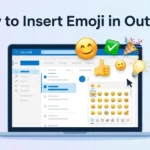
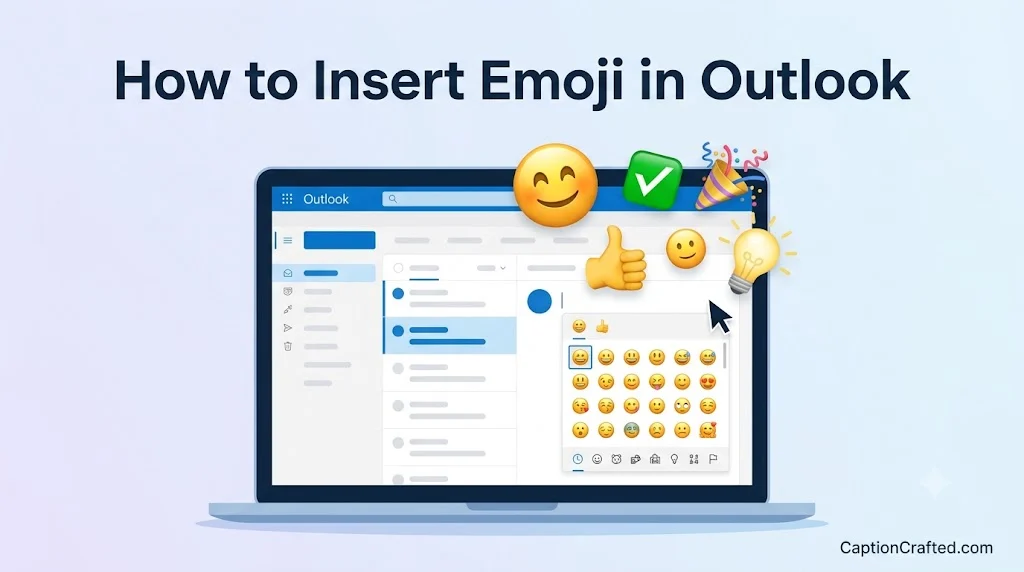
The where matters as much as the which. On Outlook desktop and web, click into your message body, then open the emoji picker from the toolbar or right-click menu, or just use your keyboard shortcut (Windows key + period, or Control + Command + Space on Mac) to bring up the emoji panel.
On the Outlook mobile app, tap the emoji icon on your keyboard the same way you would in any messaging app, then search or scroll to find what you need.
Different platforms call for different emoji energy:
- WhatsApp → emotional, personal, expressive 😊❤️🙌 fit naturally
- Instagram → aesthetic, branding-focused ✅💡📌 for polished captions
- TikTok → humor, trends, irony 😀🎉 used playfully, not literally
Do: use one or two emoji to add warmth to internal or informal emails. Don’t: stack multiple emoji in a client-facing or formal message it can undercut credibility.
Best emoji combos for Outlook copy & paste
Romantic 👉 ❤️😊 a warm, personal thank-you to someone close 👉 😊🙌 appreciation with a soft, affectionate tone 👉 ❤️👏 celebrating someone you care about
Cute 👉 😀🙌 light, playful excitement 👉 😊📌 a gentle reminder that feels friendly 👉 👍😊 a cheerful, easygoing agreement
Flirty 👉 😊❤️ a subtle, warm nudge in a personal note 👉 😀❤️ enthusiastic and affectionate 👉 ❤️😊 soft and sincere
Missing someone 👉 ❤️😊 a simple thinking of you note 👉 🙌❤️ grateful for someone’s presence 👉 😊❤️ warm and heartfelt
Good night 👉 😊👍 a calm, friendly sign-off 👉 ✅😊 wrapping up the day on a good note 👉 🎉👏 closing out a productive day with appreciation
Trending emoji in 2026
A handful of these emoji keep showing up more in everyday inboxes and chats, and the pattern is fairly consistent across workplaces.
😊 and 🙌 continue to show up often because they soften messages without overstating emotion, which fits how people now blend casual and professional tone in the same conversation. Younger employees and content creators tend to reach for them first, since they’re used to expressive communication from social apps carrying over into work tools.
✅ and 💡 are increasingly common in project-based work, especially among teams that lean on quick async updates instead of long emails. They’re popular across Outlook, Teams, and Slack alike, since they compress a full sentence into a single glance.
| Emoji | Why trending | Who uses it | Platform |
| 😊 | Softens tone without overdoing it | Younger professionals | Outlook, Teams |
| 🙌 | Signals shared credit and gratitude | Content creators, teams | Outlook, Slack |
| ✅ | Fast way to confirm progress | Project managers | Outlook, Teams |
| 💡 | Quick shorthand for ideas | Remote and hybrid teams | Outlook, Slack |
As workplace communication keeps blending casual and formal tone, emoji use in tools like Outlook seems likely to keep growing rather than fade.
FAQ
What is the most popular emoji in Outlook? 😊 tends to be the most commonly used, since it adds warmth without feeling overly casual. It works well in both quick internal notes and lighter client emails.
What does 😊 mean from a girl or boy? Regardless of sender, 😊 usually signals friendliness or gentle appreciation rather than anything romantic. Context and the relationship between sender and recipient matter more than the emoji itself.
Why do emojis look different on iPhone vs Android? Each platform designs its own emoji artwork, so the same emoji code can render differently depending on the device. Outlook usually displays the emoji style native to whatever device or app you’re viewing it on.
Are emoji in Outlook used differently in other countries? Yes, cultural norms shape how freely people use emoji in professional emails. Some regions favor minimal or no emoji in work communication, while others treat them as a normal part of everyday messaging.
Conclusion
A well-placed emoji in Outlook doesn’t need to be complicated, it just needs to fit the moment.
Once you know where the picker lives and which emoji fit your tone, adding a little warmth to your inbox becomes second nature. Used thoughtfully, it’s a small habit that makes everyday communication feel a little more human.
Read Other Posts!
Sigma Emoji 🗿 Meaning: Why Everyone’s Using It Now
Turkey Emoji 🦃 Meaning: Copy, Paste & Use It Right
Nails Emoji 💅 Meaning: The Sassiest Emoji Decoded

Justin Taylor is a creative writer and social media storyteller who specializes in crafting catchy, relatable, and high-performing Instagram captions. With a passion for blending humor, emotion, and trend-savvy language, he helps brands and creators express their voice authentically and boost engagement through words that connect.